
Quote it. Track it. Get paid.
Billing software for businesses that bill for their time. Log hours, send invoices and get paid in the app, or just ask the AI assistant you already use.
No assistant required — the whole product works in your browser.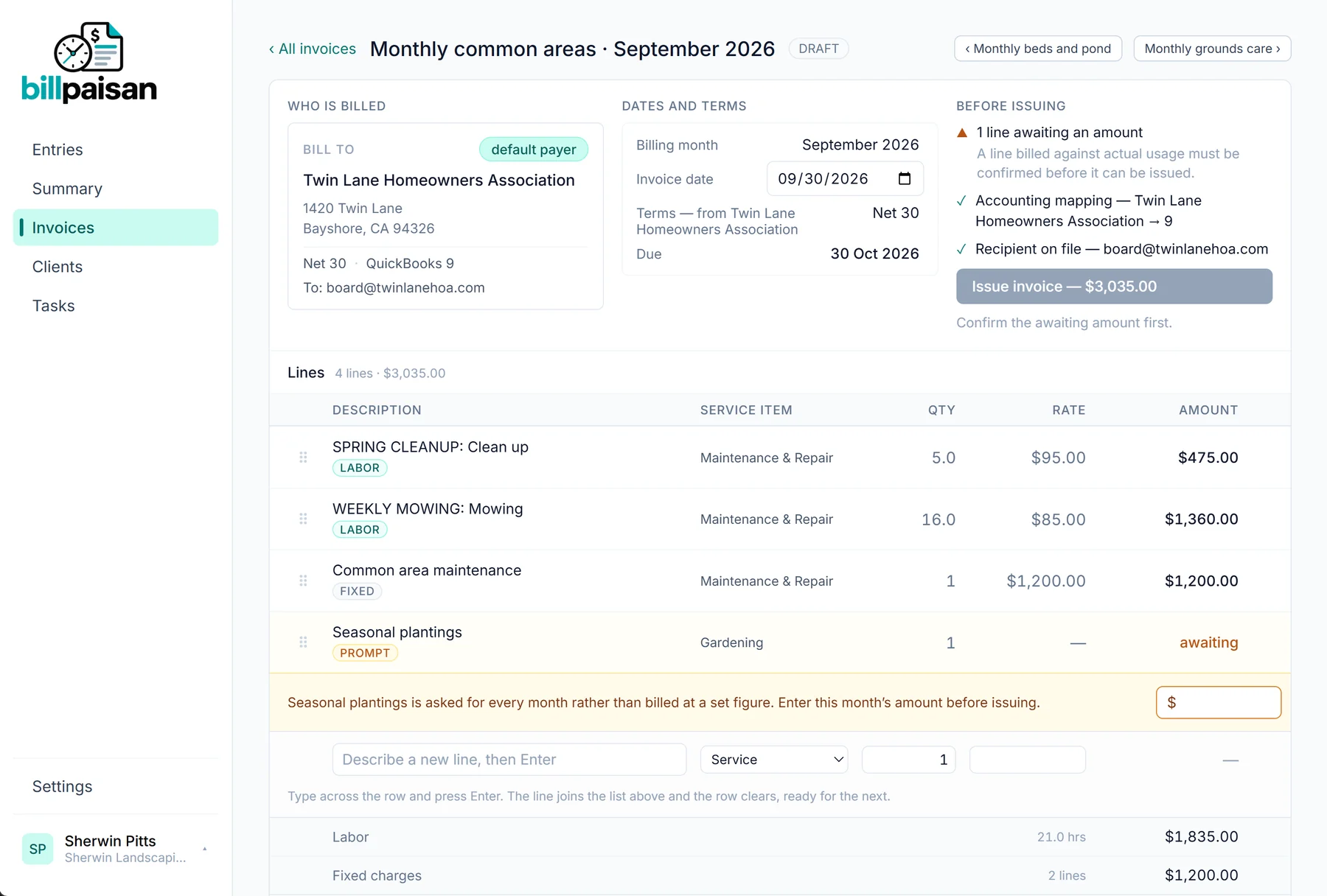
What will the September invoice say?
The 21 hours plus common area maintenance at $1,200. Seasonal plantings still needs an amount — the draft is waiting in BillPaisan for you.
The app does all of it
Everything from the first logged hour to the payment arriving happens in BillPaisan itself, and all of it is running today.
Connect QuickBooks and issued invoices appear there with the same number, and payments come back on their own. It's optional — without it, BillPaisan never mentions QuickBooks at all.
And your billing, one question away
MCP is the open standard AI assistants like Claude use to connect to other apps. BillPaisan gives yours sixteen tools for your hours, clients and invoices, so you can ask in your own words, in the middle of whatever you were already doing. A few of the things people ask:
“Log two hours trimming at Amy’s Bird Sanctuary this morning.”
Recorded against the right client, project and task. Amy’s has two projects, so it asks which one instead of guessing.
“Actually, that was three hours, not two.”
Fixed in place. Hours already on an invoice are locked, so a correction can never change a document your client holds.
“What haven’t I billed yet?”
Unbilled hours by client and project, with the value and how long each has been waiting.
“What will Freeman Sporting Goods’ invoice look like this month?”
The invoice exactly as the review screen will build it — and nothing is created, so asking commits you to nothing.
“Here’s Ridgeline Tree Service’s bill. Re-bill it to Twin Lane at cost.”
It reads the PDF, drafts the invoice line by line, and refuses one already processed, like R-4471.
“Am I on track for Twin Lane’s monthly minimum?”
Hours month by month against the contract minimum, with the empty months shown rather than skipped.
It drafts. You send.
Your assistant can prepare any invoice, but issuing and sending are not among its tools. Putting a document in front of a client is always a button a person presses.
It signs in as you.
Connecting is an ordinary sign-in, not an API key pasted into a settings file. Your assistant sees exactly what you can see in your account, and nothing of anyone else’s.
Bring the assistant you already use.
There is no chatbot inside BillPaisan and we run no AI on your data. It works with Claude and other assistants that support MCP.
The month is already written.
Start logging today, in the app or by telling your assistant, and your first invoice assembles itself.
Get started